

How to Optimize Google Business Profile for Local Leads
- August 9, 2026
- Posted by: KjWxJXiE17
- Category: News and Articles
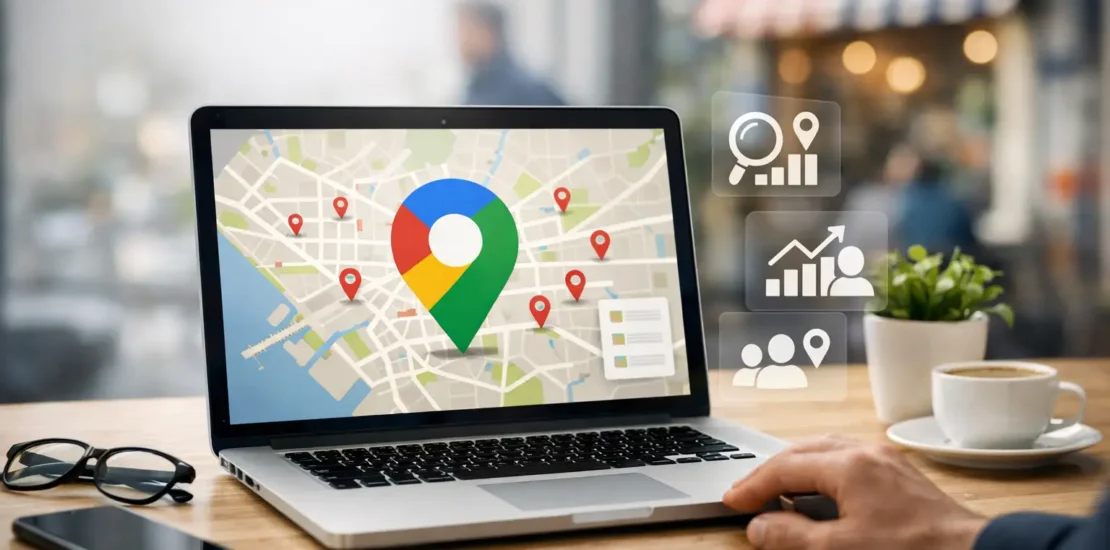
A local customer searches for your service, sees three businesses in the map results, and makes a decision before ever visiting a website. That is why you need to optimize Google Business profile information with the same care you give your website, sales process, and customer experience. A complete, active profile can turn nearby searches into phone calls, direction requests, appointments, and qualified leads.
For small and mid-sized businesses, this is one of the most practical parts of local SEO. It is also not a one-time setup task. Google wants to show searchers accurate, useful businesses that are relevant to what they need. Your job is to make that decision easy for Google and for the customer.
Start with accurate business information
The foundation is simple: your name, address, phone number, website, business hours, and service area must be accurate everywhere they appear online. Inconsistent details create confusion for customers and weaken trust in your local presence.
Use your real-world business name. Do not add a string of keywords, city names, or promotional phrases to it. For example, a company called “Coastal Plumbing” should not change its name to “Coastal Plumbing Best Emergency Plumber San Diego.” That may look like a shortcut, but it can trigger profile edits or suspension.
If you serve customers at your location, display a precise address. If you travel to clients, set up your service area correctly and hide the address when customers do not visit your office. This distinction matters for home-service businesses, mobile providers, consultants, and delivery-based companies.
Keep holiday hours current and include special hours whenever your schedule changes. A customer who arrives at a closed location or calls after an incorrect listed hour is unlikely to give your business another chance.
Choose categories that match customer intent
Your primary category tells Google what your business is chiefly known for. It is one of the strongest relevance signals available in the profile, so choose the most specific option that accurately describes your core service.
A dental office should generally lead with its actual practice type, not a broad category such as “health service.” A contractor should select the category closest to the work that drives the business, rather than trying to cover every possible trade. Secondary categories can support additional legitimate offerings, but adding unrelated categories will not expand your reach in a useful way.
Category selection depends on your business model. A restaurant, law firm, medical practice, retailer, and service-area contractor should not use the same profile strategy. Look at the terms customers use when they are ready to buy, then ensure your category choices support those searches without overstating what you do.
Write a description that answers the customer’s first question
Your business description should quickly explain who you help, what you provide, and where you operate. Write for people first. Mention your main services, differentiators, and service area in plain language.
Avoid turning the description into a block of repetitive keywords. A clear description might explain that a San Diego HVAC company provides residential repair, replacement, and maintenance with same-day availability. It does not need to repeat “San Diego HVAC repair” in every sentence.
Use the profile’s service, product, and attribute fields to add useful detail. Services should be specific enough to reflect what customers can request. Products can work well for retailers, restaurants, salons, professional services, and businesses that package defined offerings. Attributes help customers identify practical details, such as accessibility, appointment requirements, ownership information, or payment options.
Add photos that build confidence before the call
Photos are not decoration. They reduce uncertainty. A customer wants proof that the business is active, professional, and real.
Start with a strong logo and cover image, then add current images of your exterior, interior, team, equipment, completed work, products, and customer-facing process. A service business can show branded vehicles, technicians at work, before-and-after results, and clean project photos. A local retailer can feature the storefront, displays, popular inventory, and staff.
Use authentic images whenever possible. Stock photography may look polished, but it does not prove that a customer will receive the experience you promise. New photos also give people a reason to revisit the profile and can help your listing look more current than inactive competitors.
Video can be useful when it shows something customers care about: a short walkthrough, a product demonstration, a project transformation, or an introduction from the owner. Keep it focused. The purpose is trust, not a high-budget commercial.
Build a review process you can sustain
Reviews influence local decisions because they provide third-party proof. They also give your team direct insight into what customers value and where the experience needs attention.
Ask for a review after a completed service, successful delivery, appointment, or purchase, when the experience is still fresh. Make the request simple and consistent. Front-desk staff, account managers, technicians, and automated follow-ups can all support the process if they are trained to ask appropriately.
Never buy reviews, offer incentives in exchange for positive feedback, or pressure customers to remove honest criticism. Those practices can damage trust and create policy problems. A smaller number of genuine reviews is more valuable than a suspicious spike in five-star ratings.
Respond to reviews with professionalism. Thank positive reviewers specifically when possible, rather than copying the same generic reply. For negative feedback, acknowledge the concern, avoid an argument, and offer a practical path to resolve the issue offline. Prospective customers are not only reading the complaint. They are watching how you handle it.
Use posts and updates to show that the business is active
Google Business Profile posts give you a place to highlight offers, events, seasonal services, new products, and timely announcements. They should support a business goal, not become another content task that produces no action.
A landscaping company might promote spring cleanup services. A restaurant can feature a holiday menu. A law office may share an upcoming community workshop. A retailer can announce new inventory or an in-store event. Each post should have a clear image, a short message, and a reason for the customer to take the next step.
Posting frequency depends on your industry and capacity. Weekly updates can work well for businesses with promotions or changing inventory. For others, one or two useful updates per month may be enough. Consistency matters more than publishing filler.
Strengthen the local SEO signals around your profile
A Google Business Profile does not operate in isolation. Its performance is connected to your website, local citations, content, links, reputation, and overall brand visibility.
Your website should clearly support the profile’s core services and locations. Build useful service pages, maintain accurate contact information, and make it easy for visitors to call, request an estimate, or book an appointment. Local content can help when it answers real questions from customers in your market, not when it is written only to repeat city names.
Local mentions and earned links from credible organizations, publications, industry sources, and community partners can reinforce authority. Social media and influencer campaigns can also increase brand recognition and create demand around local promotions, though they are not a substitute for sound on-page SEO and a well-managed profile.
At Zoom Trans, local visibility strategies are built around the full picture: profile optimization, content, technical SEO, reputation support, and the marketing activity that helps a brand earn attention beyond a single search result.
Track the actions that lead to revenue
Do not judge profile success by views alone. Visibility is useful, but a profile should produce measurable business activity.
Review the performance data in your profile regularly. Look for trends in calls, website visits, direction requests, bookings, messages, and searches that triggered your listing. Compare those actions with lead quality and closed business. A profile that generates fewer calls but better-qualified prospects may be performing better than one that produces a high volume of poor-fit inquiries.
Use tracked phone numbers carefully. If you use call tracking, keep your primary business phone number consistent as the main profile number and add tracking in a way that does not create citation confusion. Also review which services, photos, posts, and review themes correlate with more customer action.
Common mistakes that limit local visibility
The most damaging profile mistakes are often basic: selecting the wrong category, leaving hours outdated, using a virtual office that is not eligible, ignoring reviews, or publishing services that cannot actually be delivered. Another common issue is creating duplicate listings for the same location. Duplicates split signals and confuse both customers and Google.
Do not expect immediate map rankings simply because every field is complete. Local results are influenced by relevance, distance, and prominence. You can improve relevance and prominence through better information, stronger SEO, reviews, and visibility, but you cannot change where a searcher is located. The right objective is to earn more exposure for the searches and areas your business can realistically serve.
A well-managed Google Business Profile is a living sales asset. Keep it accurate, give customers evidence they can trust, and use what you learn from calls and reviews to improve the business behind the listing. That steady work is what turns local search visibility into dependable growth.
Leave a Reply
You must be logged in to post a comment.